There's a third option, and it's surprisingly cheap
If you have built custom software, you have probably experienced this recurring pattern. A request comes for a new reporting dashboard, a new automation tool, or an AI feature. And every time, the answer is to either buy another license, spin up a project to build it, or drop the idea because of the cost or time constraints.
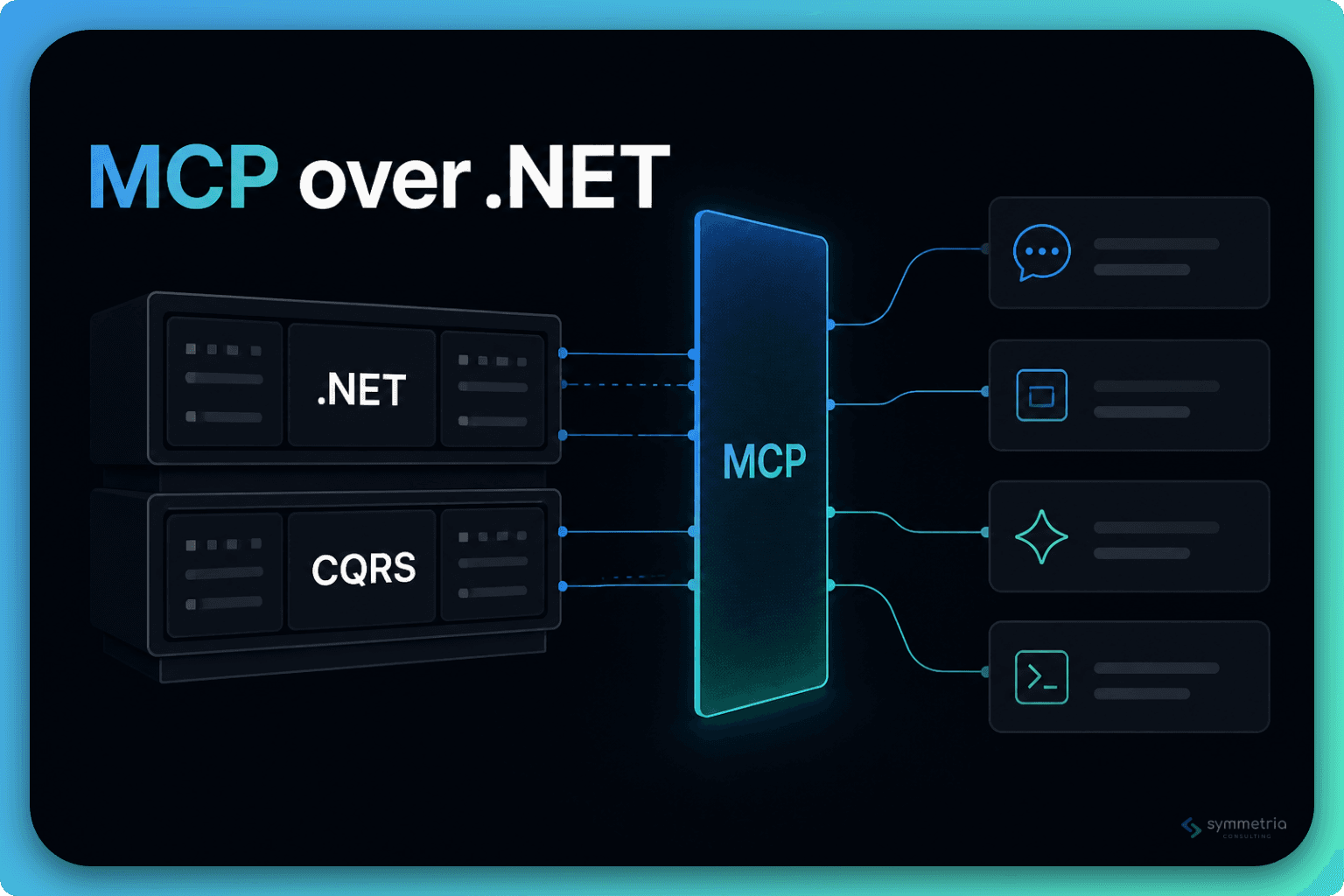
There's a third option that has become available in the last year, and it is surprising how cheap it is compared to what it unlocks. Wrap your existing backend in an MCP server, and point a chatbot at it.
It is not a rewrite or a new product, but instead a layer over the APIs you've already built and tested. And it can replace a surprising number of tools that you are currently paying for.
What an MCP server actually is (in one paragraph)
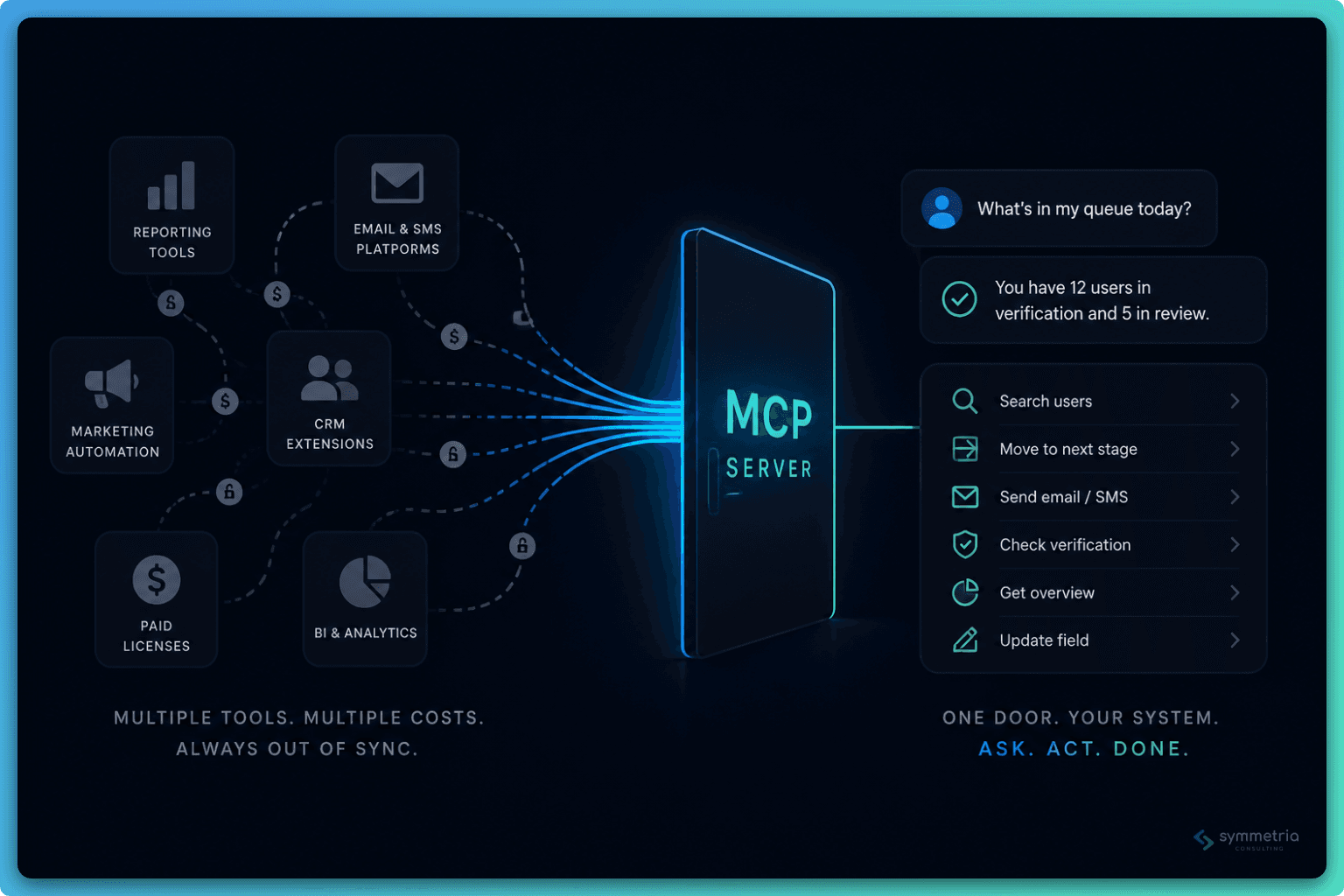
MCP defines a fixed set of actions an assistant can take inside your software: search users, send an email, move a record to the next stage, pull an overview. Nothing more. Ask it to do something, and it doesn't improvise. It calls one of those actions, and the system runs exactly what it would run if a person had clicked the button. Your validation, your permissions, your business logic. All of it still applies.
That's the idea behind MCP. The hard part is the business logic, and it's already built. MCP just hands it a second door in.
Why this is "cheap" in a way that's rare for software
New projects or features require investment in new logic. An MCP layer over an existing system requires almost none of that. You're not building the ability to search users, you already built that, it's called your search screen. You're not building the ability to send a follow-up text, that's your existing notification service. What you're building is a list of function signatures and a call to code that already exists.
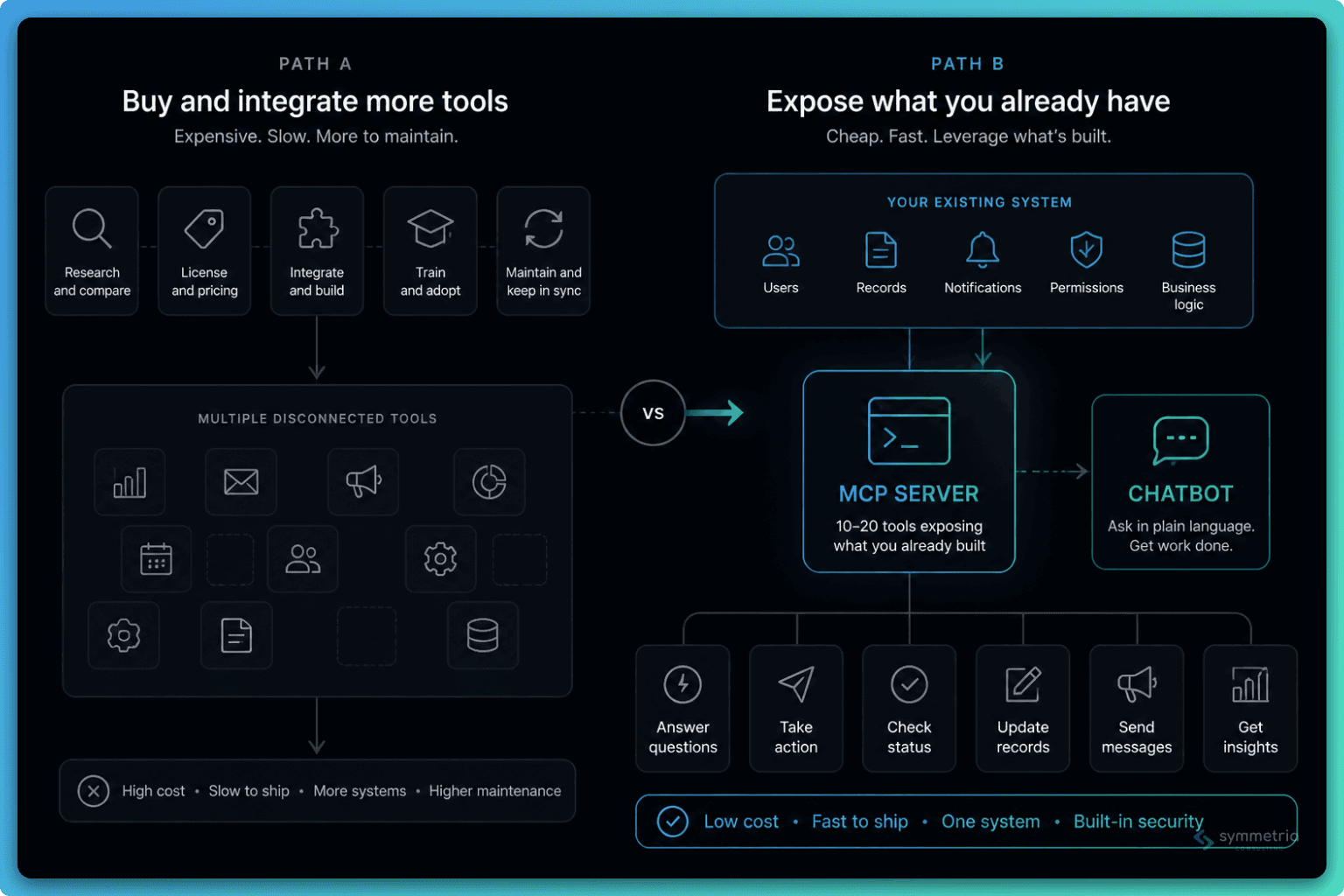
Compare the two paths:
- Path A, go buy something built for it. Research what is available on the market, decide which one to use and agree on a price, pay a yearly license fee, integrate it into your product, train your team on it, and hope that the tool continues to fit your needs in the future with updates and changes.
- Path B, expose what you already have. Pick 10-20 of your most-used API operations, wrap them as MCP tools, connect a chatbot. No new license. No new system. No second UI to teach anyone. The "integration" is that it already is your system.
Path B is not free — someone has to write the tool definitions and think about scope and permissions — but it's an order of magnitude cheaper than Path A, and every time you add a new capability to your core product, it's available to the chatbot for free too.
Where this earns its keep: real, boring, everyday use
The value shows up in a dozen small frictions scattered through a normal workday. Open the app, find the screen, click through three tabs. All of that can be replaced with just asking.
- "What's in my queue today?" instead of opening a list view and scanning it manually. The information already existed in the system; the chatbot just removes the navigation tax on getting to it.
- Taking routine action. "Move this user to the next stage." "Reassign this one to Sarah." "Text this user that we still need their ID."
- Checking on something that's stalled. "Did the verification request go out? If not, send it." Instead of digging through a history tab, you just ask, and if the answer calls for action, that happens in the same breath.
- Looking up a status mid-conversation. Ask where a user stands and get an answer immediately, instead of navigating to the right page and opening the right record.
- Following up right after a conversation. Send an email, send a text message, log a call, add a note. Capture what just happened in the moment, without switching screens mid-conversation.
- Updating a single field without opening the full form. Correct a user's email, or any one field, without loading the entire form or navigating to a page.
New functionality was not required for any of this, and it made existing functionality more accessible. Instead of knowing where a certain action lives in the product, a simple sentence can trigger it. For a new system user who does not know the product that well yet, or a manager who spends most of their time in a call or on their phone, this simplification matters a lot. They don't need to remember your UI. They just need to say what they want.
Why your developer will want it too
The benefit is for both sides. The tools that make day-to-day work faster do the same for development and testing.
- Set up test data fast instead of manually clicking through the UI. Spin up a fresh record in a specific starting state (queue, status, owner) to test a new workflow end to end, and populate the data so you're not manually re-entering the same ten fields every time you need a fresh test case.
- Reproduce a real customer-reported bug exactly. When a support ticket describes a specific applicant scenario, use the create and add tools to recreate that exact data, rather than approximating it by hand in the UI. Then verify the fix against the real scenario, instead of going through the regular happy path.
- Reset data to a clean baseline between test runs. The delete tools clear out records from a prior test case, so the next run, or the next tester, starts clean instead of inheriting someone else's leftovers.
The part that surprises people: it replaces paid tooling
MCP doesn't just make your own product easier to use, it can replace the tools you bought because they were too expensive to build.
Start with reporting and BI. Most companies pay for a reporting layer, a BI tool, sometimes a whole analyst's time, just to answer questions like "how many users are stuck in this stage," "what's our average time-to-hire this quarter," or "which employer has the highest response rate." These tools are expensive because someone has to build and maintain the report, and every new question means a new report.
An MCP server can bypass that. If your system can already provide an answer to "get me all users in this state" or "get me the overview for this employer," then a chatbot can take almost any question a person asks, in plain language, and present the data without someone building the report first. You still want your dashboards, so that leadership can check them every day. But situations like "can someone pull me a number real quick," which used to mean a Slack message to an analyst or a support ticket, no longer need to happen. They are replaced with a question, and an MCP server that already has the data.
Drip marketing and outreach automation
Drip campaign tools exist to solve one problem: send the right message to the right person, at the right point in a sequence, based on what they've done or haven't done. That is usually a separate licensed product, one that you now have to keep in sync with your actual system of record.
If your MCP tools already include "send email," "send text," "check verification status," and "get candidate status," an agent can use those to replace the drip marketing feature. "If this candidate hasn't responded in 3 days and is still in this stage, send a follow-up text" is the same operation that a drip tool would use. No need to build a separate product; instead you're pointing at the tools you already built, and adding a schedule.
This isn't a claim that every marketing automation platform should be replaced or is obsolete. But for the common case, outreach against your own customer or candidate data, an agent calling tools is a much cheaper and simpler approach.
Why this is different from "just add a chatbot"
"Add AI to your product" has been an overused, mostly disappointing pitch for a couple of years now. The reason MCP is different is that it does not require AI to understand your system. It asks the AI to describe intent, and your existing code still does all the work.
The only thing that the chatbot needs to know is that a tool called "move user to next stage" exists and what arguments it takes. Everything else — is this user allowed to do this, is this a valid state transition — stays in your backend. The model doesn't need to know your business logic. You're asking it to know which tool to use, which is a much smaller and much easier problem, and one that models are really good at.
That's what makes safety the easy part. Not ready to let an agent delete records or issue refunds? Don't build that tool.
What this doesn't replace
Dedicated BI tools still win when stakeholders need a polished dashboard they can check without asking a question first. A chatbot answering "what's our time-to-hire" on demand isn't the same as a live dashboard on a TV in the office. Dedicated marketing platforms still win on deliverability infrastructure, compliance tooling, and multi-channel campaign analytics at scale.
And MCP is only as good as the tools you expose. If your APIs are inconsistent or your data model is a mess, wrapping it in MCP won't fix that, it'll just make the mess easier to poke at. The pitch isn't "throw out your tools," but rather to check whether the functionality already exists in the system and just needs a front door.
The actual cost comparison
A reporting tool or marketing automation platform runs anywhere from a few hundred to several thousand dollars a month, scales with members or usage, and comes with its own integration project to keep it in sync with your real data. An MCP layer over an existing system is a few days to a few weeks, once, depending on how much surface area you expose. No recurring license.
The project's already built, and that's the expensive part covered. MCP is the cheapest way there is to bolt on a second, far more accessible interface to all that work. That's rare in software. Most upgrades cost more the more value they unlock. This one doesn't.